

Complete Transcripts
Read every word of each conversation, with timestamps showing when things happened.
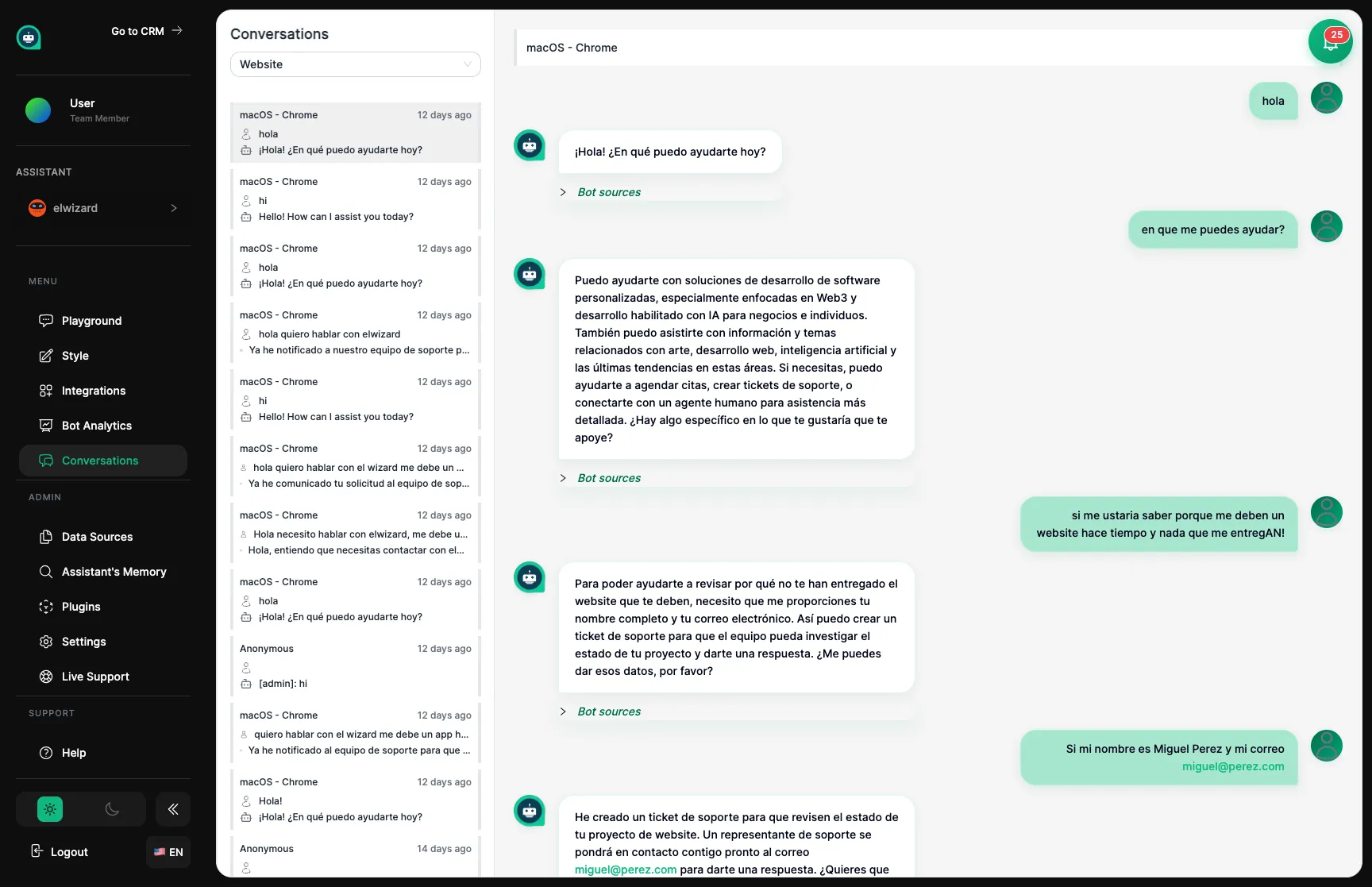
The Conversations page is like sitting in on your assistant’s interactions with customers. You can read through every chat they’ve had, see what questions customers are asking, and check if your assistant is doing a good job. Think of it as a performance review for your team member.
Complete Transcripts
Read every word of each conversation, with timestamps showing when things happened.
All Channels
See conversations from everywhere – your website, Instagram, WhatsApp, and more.
Find Specific Chats
Search for particular conversations by keyword, date, or where they happened.
Watch Live
Live See conversations as they’re happening in real-time.
Conversations are listed with the newest ones at the top. You can see when each chat happened, which platform it came from, and a preview of what was discussed. Click any conversation to read the full exchange.
Use the search box to find chats about particular topics or keywords.
Search by Topic
Find mentions of specific products, features, or issues.
Filter by Date
Look at specific time periods, like before and after you made changes.
Filter by Channel
See only conversations from your website, Instagram, or other platforms.
Review regularly
Set aside time each day or week to read through recent conversations.
Spot patterns
Notice questions that come up often or points where customers seem confused.
Mark issues
Flag conversations where your assistant struggled – these show where to improve.
Take action
Update training materials or settings based on what you learn.
Use conversations as a quality check for your assistant:
| Check For | What to Look For |
|---|---|
| Accuracy | Are the answers correct and current? |
| Friendliness | Does your assistant sound helpful and on-brand? |
| Relevance | Do they stay on topic and address the question? |
| Completeness | Are answers thorough enough? |
| Handoff | Does escalation to humans work smoothly? |
Export
Download conversation records for review or compliance purposes.
Delete
Remove conversations when required for privacy reasons.
Hand Off
Transfer live conversations to a human team member when needed.