

Chat Conversations
Automatic
Created when users provide info during chat.
Contacts are the core of your CRM - every person who interacts with your business. Core Feature
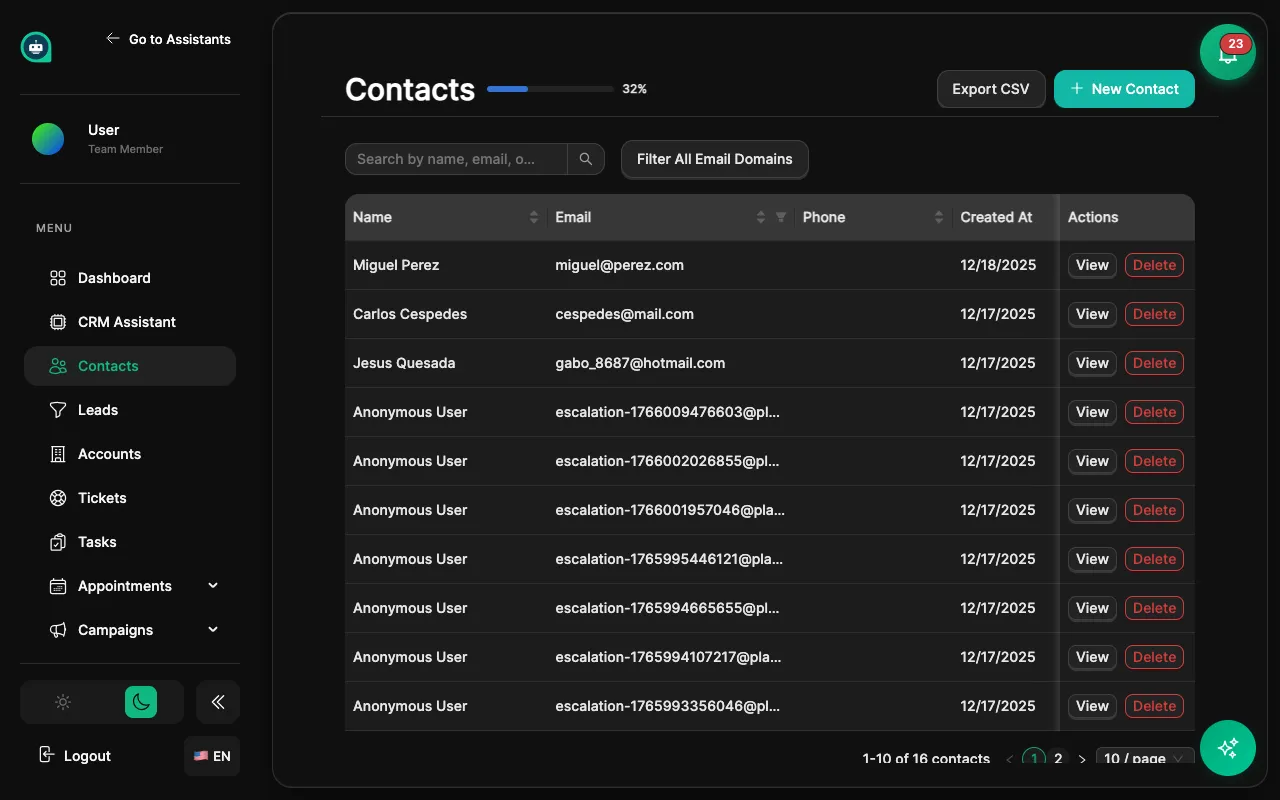
Chat Conversations
Automatic
Created when users provide info during chat.
Manual Entry
Add contacts directly through the CRM interface.
CSV Import
Upload contacts from spreadsheets in bulk.
Integrations
Sync contacts from other systems automatically.
Forms
Capture leads from website form submissions.
| Field | Description |
|---|---|
| Name | Full name of the contact |
| Primary email address | |
| Phone | Phone number with country code |
| Company | Associated account/organization |
| Timezone | For scheduling and communication |
Add custom fields for your business needs:
| Field Type | Use Case |
|---|---|
| Text | Notes, descriptions |
| Number | Scores, counts, values |
| Date | Birthdays, renewal dates |
| Dropdown | Status, category |
| Multi-select | Interests, products |
View all interactions in chronological order:
Click + New Contact
Access the contact creation form from the Contacts page.
Fill in details
Enter basic information like name, email, and phone.
Add tags
Apply relevant tags for organization (optional).
Click Save
The contact is now in your CRM and ready for engagement.
Add/Remove Tags
Apply or remove tags from multiple contacts at once.
Export to CSV
Download selected contacts for external use.
Delete
Remove multiple contacts (with confirmation).
Assign
Assign contacts to team members.
Manual Tags
Applied by users when managing contacts.
Auto Tags
Workflow
Applied automatically by workflow automation.
System Tags
Generated by the system based on activity.
Navigate to Import
Go to Contacts → Import
Upload CSV file
Select your prepared CSV file.
Map columns
Match CSV columns to CRM contact fields.
Handle duplicates
Choose how to manage existing contacts.
Complete import
Review and confirm the import.
name,email,phone,company| Option | Behavior |
|---|---|
| Skip duplicates | Don’t import if email exists |
| Update duplicates | Merge with existing record |
| Create duplicates | Allow multiple records |
Filter contacts
Apply filters to select specific contacts (optional).
Click Export
Start the export process.
Select fields
Choose which fields to include in the export.
Download CSV
Save the file to your computer.
Consent Tracking
Record and manage consent status for each contact.
Data Export
Fulfill data access requests with one-click export.
Anonymization
Support right-to-erasure requests properly.
Audit Log
Track all changes for compliance records.