

CRM Toolkit
Core
Gives your assistant full CRM powers: create contacts, qualify leads, create tickets, schedule appointments, detect and escalate to human agents, and take structured notes from conversations.
Plugins extend what your assistant can do beyond answering questions. Enable the right plugins and your assistant can schedule meetings, hand off to a human agent, manage your CRM, and even help customers on your WordPress site.
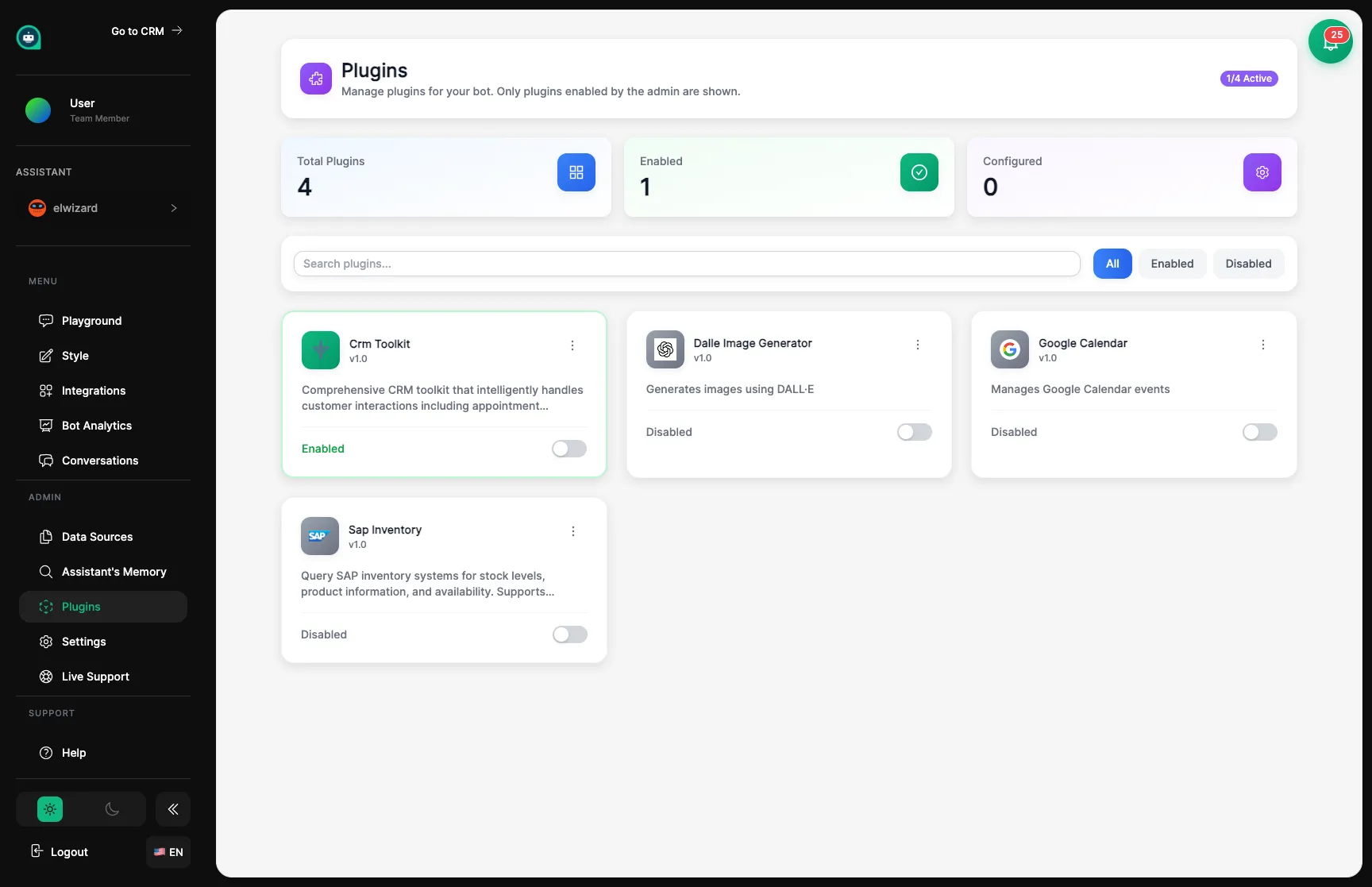
CRM Toolkit
Core
Gives your assistant full CRM powers: create contacts, qualify leads, create tickets, schedule appointments, detect and escalate to human agents, and take structured notes from conversations.
Appointment Booking
Popular
Part of the CRM Toolkit — your assistant can check availability and book appointments directly with customers. Syncs with Google Calendar and sends branded confirmation emails.
Human Handoff
Popular
Transfers a conversation to a live human agent when the customer needs real help. AI monitors conversation sentiment and can trigger handoff automatically.
WordPress Tools
WordPress
Lets your assistant search your WordPress site’s posts, pages, and products to give customers accurate, up-to-date answers from your actual website content.
Custom Actions
Connect your assistant to your own systems and APIs for custom business workflows.
Browse available plugins
Look through the list of skills you can give your assistant.
Read the description
Understand what the skill does and what access it needs.
Enable the plugin
Turn it on to make the skill available to your assistant.
Set it up
Provide any needed information like connection details or preferences.
Test in Playground
Make sure your assistant uses the new skill correctly before customers try it.
After enabling a plugin, click settings to configure it. You might need to connect to external services, provide account information, or set rules for when your assistant should use this skill.
| Type | What You’ll Need |
|---|---|
| Connections | Login info for external services |
| Notifications | Where to send alerts when something happens |
| Triggers | Rules for when your assistant should use this skill |
| Permissions | What information the plugin can access |
| Trigger | When Your Assistant Uses the Skill |
|---|---|
| Auto-Detect | When they recognize a customer wants this |
| Keywords | When the customer says certain words |
| Always Available | Your assistant can use it anytime it makes sense |
| On Request Only | Only when the customer specifically asks |
Customer Info
What customer details the plugin can see.
External Services
Which third-party tools the plugin connects to.
Actions
What the plugin can do (send emails, create records, etc.).
For those who want to build their own plugins:
// Example: Custom skill{ "name": "check_inventory", "description": "Check how many items are in stock", "parameters": { "product_id": "string" }, "endpoint": "https://your-api.com/inventory"}Start with what you need
More plugins = more complexity. Start simple.
Test everything
Make sure skills work correctly in all situations.
Set clear rules
Help your assistant know exactly when to use each skill.
Watch the results
Use Analytics to see which skills are most valuable.
| Status | What It Means |
|---|---|
| Popular | Widely used and reliable |
| New | Recently added skill |
| Beta | Still in testing, may change |
| Advanced | Needs some technical setup |