

Who They Are
Give your assistant a name and personality that fits your brand.
Settings is where you shape who your assistant is and how they behave. Think of it like setting expectations for a new team member – you’ll define their personality, how they should respond, and what they’re allowed to do.
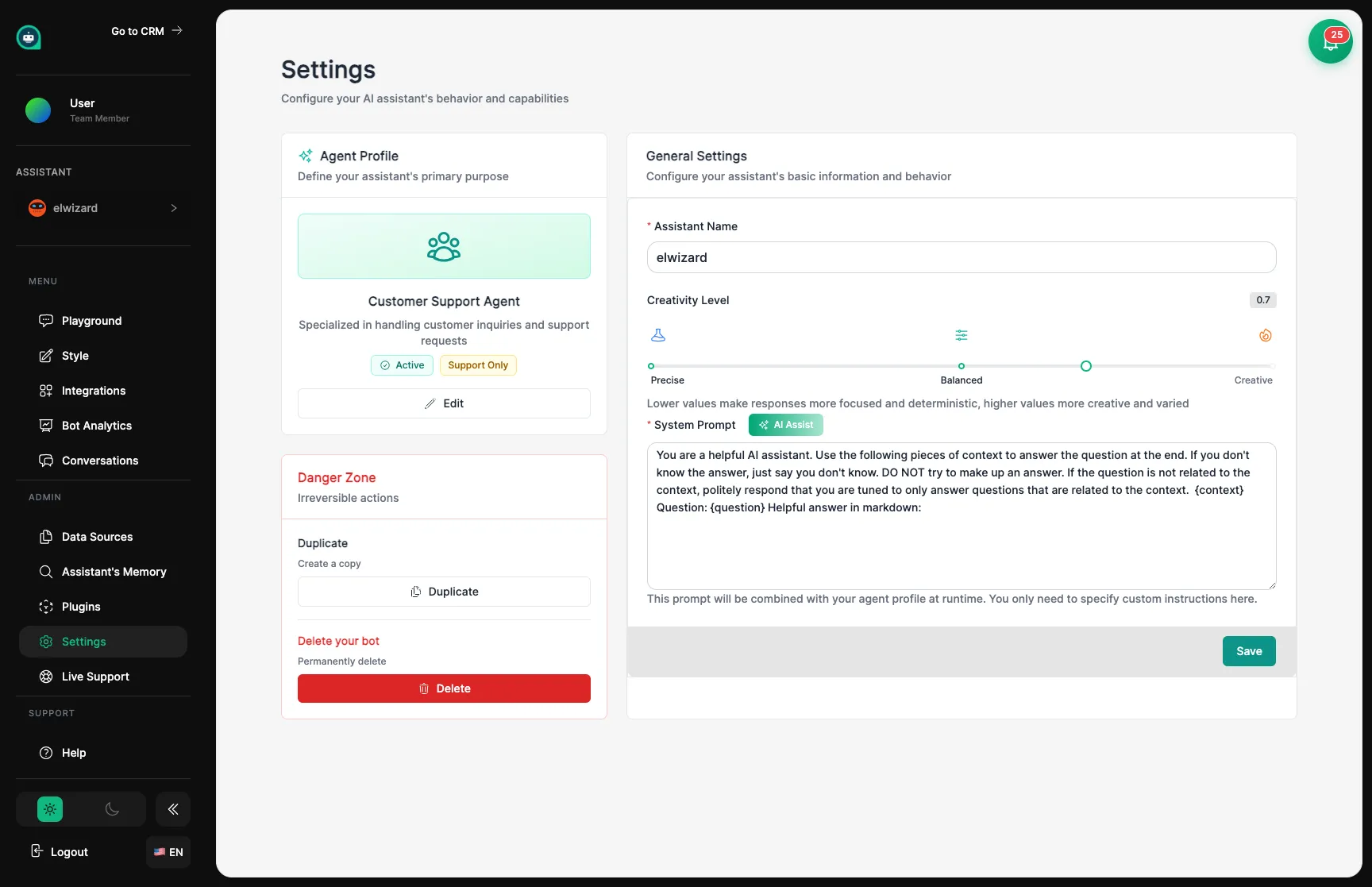
Who They Are
Give your assistant a name and personality that fits your brand.
How They Talk
Control how creative or focused their responses are.
What They Know
Adjust how your assistant searches through their training materials.
Special Abilities
Enable features like web searching and conversation memory.
Give your assistant a clear name and role. The project name helps you organize multiple assistants, and the personality instructions tell your assistant how to behave and what expertise to show.
Key Settings:
Settings like creativity level and AI model affect the style of your assistant’s responses.
Creativity controls whether your assistant sticks to the facts or gets more creative:
| Level | Behavior | Best For |
|---|---|---|
| 0.1 - 0.3 | Very focused, consistent | Support questions, factual answers |
| 0.4 - 0.6 | Balanced | Most conversations |
| 0.7 - 1.0 | Creative, varied | Marketing, brainstorming |
Model determines how smart and capable your assistant is:
| Model | Strengths | Cost |
|---|---|---|
| GPT-4o | Smartest, best reasoning | Higher |
| GPT-4o-mini | Fast and affordable | Lower |
| Claude 3.5 | Great with long content | Medium |
How Many Sources
How many training materials to check when answering. More = better context, but slower.
Match Quality
How closely information must match the question. Higher = stricter, fewer wrong answers.
Web Search
Let your assistant search the internet for current information beyond their training.
Conversation Memory
How many previous messages to remember. More memory = smoother conversations.
Session Tracking
Control how conversations are tracked and continued.
Password Protection
Require a password for customers to chat with your assistant.
Message Limits
Prevent spam by limiting how many messages can be sent.
Access Keys
Create special keys for connecting your assistant to other tools.
| Setting | Purpose | Recommended |
|---|---|---|
| Messages per minute | Stop spam | 10-20 |
| Chats per day | Control usage | Based on your plan |
| Max message length | Prevent abuse | 2000 characters |
The Agent Framework lets you define your assistant’s purpose and grant it specific operational capabilities. This is where you go from a simple Q&A bot to a fully capable AI agent.
Bot Purpose
Set whether your assistant is a Support Bot, Sales Rep, Scheduler, or General Assistant. This shapes how it prioritizes tasks and routes conversations.
Human Handoff
Enable Human Handoff to let your assistant escalate conversations to a live agent. Required for the Live Escalation feature to work.
Appointment Booking
Enable the appointment booking capability to allow your assistant to offer and schedule meetings during conversations.
Proactive Scheduler
Enable BotJobs to let your assistant proactively reach out to contacts (e.g., for follow-ups or reminders) without waiting for them to initiate conversation.
Make a change in Settings
Go to Playground to practice with the new settings
Try unusual questions to see how your assistant handles them
Adjust and repeat until your assistant behaves exactly how you want